Ceiling Fan Not Working: Troubleshooting Motor, Lights, and Remote Control Issues
When your ceiling fan stops working properly, it can disrupt comfort and air circulation. Learn how to diagnose and fix common ceiling fan problems including motor issues, light malfunctions, and remote control failures.
Super Admin
Author
Understanding Your Ceiling Fan's Components
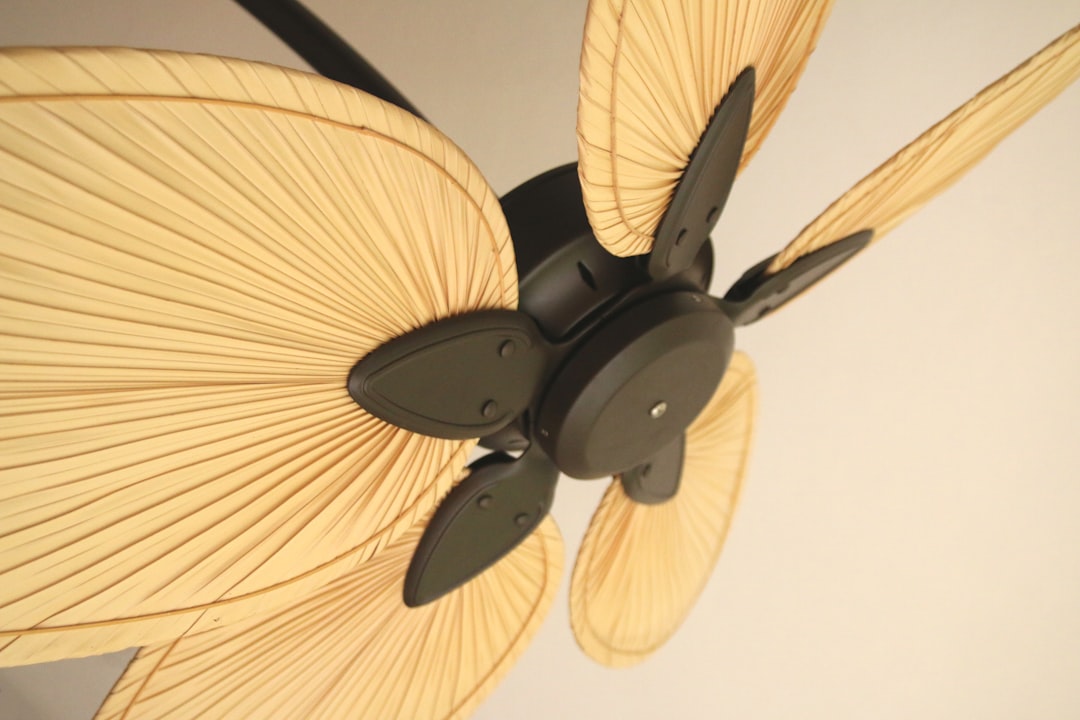
Ceiling fans are complex electrical fixtures that combine multiple systems: the motor assembly, lighting components, and often wireless remote controls. When problems arise, identifying which component has failed is the first step toward an effective repair.
Before diving into troubleshooting, always turn off power at the circuit breaker and allow the fan to come to a complete stop. Safety should be your top priority when working with any electrical fixture.
Common Ceiling Fan Motor Problems
Fan Won't Turn On At All
Start by checking the most obvious culprits. Verify that the wall switch is in the "on" position and that the circuit breaker hasn't tripped. Many ceiling fans have a reverse switch on the motor housing – ensure this switch is fully engaged in either direction, not stuck in the middle position.
If the fan still won't start, the issue may be with the capacitor. The capacitor stores electrical energy to help start the motor. A failed capacitor is one of the most common causes of ceiling fan failure and typically requires professional replacement.
Fan Runs Slowly or Inconsistently
Dust accumulation on the motor and blades can significantly impact performance. Clean the fan blades and motor housing thoroughly with a damp cloth. Pay special attention to the motor vents, as blocked airflow can cause overheating and reduced performance.
Loose blade connections can also cause wobbling and reduced efficiency. Check that all blade brackets are securely fastened to both the blade and the motor assembly. Tighten any loose screws you find.
Excessive Noise and Wobbling
A wobbly, noisy ceiling fan is often caused by unbalanced blades or loose mounting hardware. Use a balancing kit (available at most hardware stores) to correct blade imbalances. These kits include small weights that attach to blade brackets to restore smooth operation.
Inspect the mounting bracket where the fan connects to the ceiling. Over time, vibration can loosen these connections, creating dangerous conditions and poor performance.
Ceiling Fan Light Troubleshooting
Lights Won't Turn On
Begin with the simplest solution: replace the bulbs. Even if bulbs appear intact, they may have failed internally. Use bulbs that match the wattage specifications listed on your fan's light fixture.
If new bulbs don't solve the problem, check the light kit's wire connections. Turn off power at the breaker, then carefully remove the light fixture to inspect wire nuts and connections. Look for loose, corroded, or damaged wires.
Lights Flicker or Dim Randomly
Flickering lights in ceiling fans often indicate loose electrical connections. Check all wire connections in the switch housing, fan canopy, and light kit. Tighten any loose wire nuts and ensure bare wires aren't touching each other or metal components.
Sometimes the issue lies with the light kit itself. If connections appear secure, consider replacing the entire light kit assembly, which is typically more cost-effective than individual component repairs.
Remote Control and Wall Switch Issues
Remote Control Not Responding
Start by replacing the remote control batteries – weak batteries can cause intermittent operation even when the remote appears to work sometimes. Clean the battery contacts with a cotton swab and rubbing alcohol to remove corrosion.
Check that the receiver unit (usually located in the fan canopy) has secure wire connections. The receiver should have a small antenna wire that may have become disconnected or damaged.
Pro Tip: Many ceiling fan remotes have DIP switches or frequency settings. Ensure both the remote and receiver are set to the same frequency to maintain proper communication.
Wall Switch Problems
If your ceiling fan uses a wall-mounted control switch, these can fail over time. Test the switch with a multimeter to verify it's sending power to the fan. Variable speed switches are particularly prone to failure due to their complex internal components.
When replacing wall switches, always match the amperage rating to your fan's requirements. Most ceiling fans require switches rated for at least 1.5 amps.
When to Call a Professional
While many ceiling fan issues can be resolved through DIY troubleshooting, certain problems require professional attention:
- Motor replacement or internal motor repairs
- Electrical wiring issues beyond simple connections
- Mounting problems that affect structural integrity
- Capacitor replacement (involves handling electrical components)
- Any situation where you feel unsafe or uncertain
Preventive Maintenance Tips
Regular maintenance can prevent many ceiling fan problems. Clean blades monthly to prevent dust buildup, check mounting hardware annually for tightness, and lubricate motor bearings if your fan model requires it (many modern fans have sealed bearings that don't need lubrication).
Keep spare bulbs and remote batteries on hand, and consider having a professional inspection every few years, especially for fans in high-use areas or those showing signs of wear.
Conclusion
Most ceiling fan problems stem from simple issues like loose connections, dirty components, or failed bulbs. By following systematic troubleshooting steps and prioritizing safety, homeowners can resolve many common ceiling fan issues without professional help.
Remember that electrical work always carries risks. When in doubt, consult with qualified electricians who can ensure your ceiling fan operates safely and efficiently for years to come.
Tags
Written by
Super Admin
Author at DynamoGenAi
Related Articles
Dimmer Switch Problems: How to Fix Buzzing, Flickering, and Heat Issues
DIY & Maintenance
Light Switch Not Working: Complete Diagnosis and Repair Guide for Homeowners
DIY & Maintenance
Electrical Burning Smell in Your Home: How to Identify the Source and Stay Safe
DIY & Maintenance
Electrical Outlet Sparking: When to DIY and When to Call a Professional
DIY & Maintenance