Smart Home Device Electrical Failures: Troubleshooting WiFi Switches, Smart Outlets, and Connected Systems
When your smart home devices stop working, the problem isn't always the technology—it's often the electrical system behind it. Learn how to diagnose and fix common electrical issues affecting your connected home devices.
Mrs. Asia Hill
Author
Smart Home Device Electrical Failures: Troubleshooting Guide
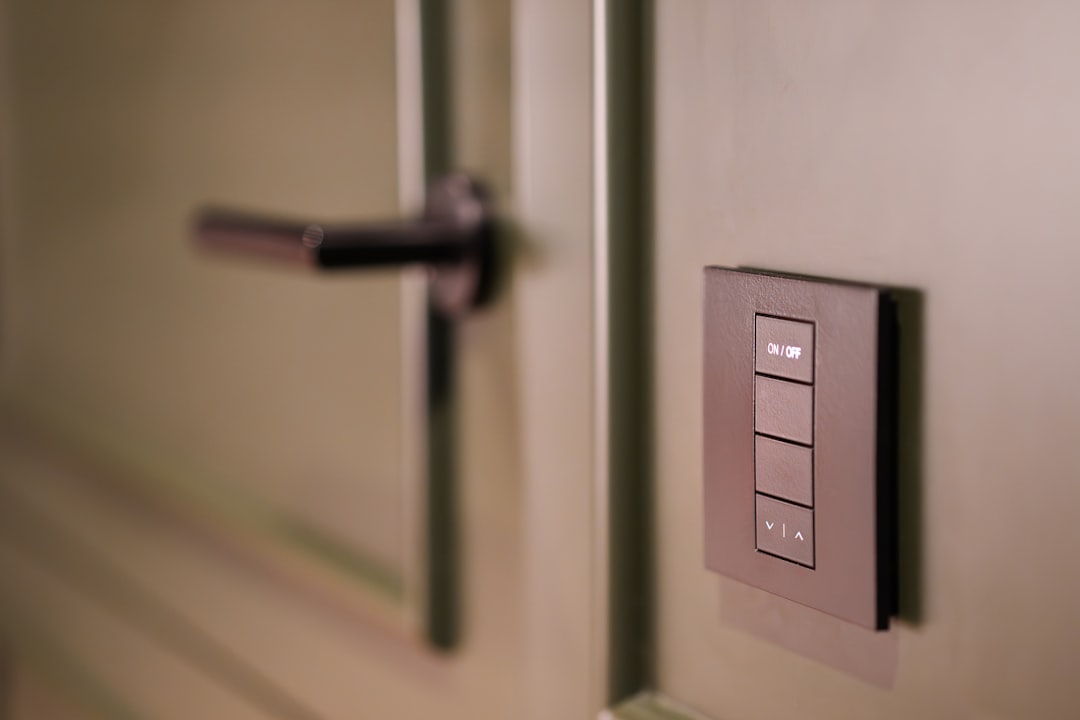
Smart home technology has revolutionized how we interact with our living spaces, but when these devices fail, homeowners often blame the technology first. In reality, many smart device failures stem from underlying electrical issues that can be diagnosed and resolved with the right approach.
⚠️ Safety First
Always turn off power at the circuit breaker before working on any electrical components. If you're uncomfortable with any step, contact a professional electrician immediately.
Understanding Smart Device Power Requirements
Smart devices have specific electrical needs that differ from traditional switches and outlets. Before troubleshooting, it's crucial to understand these requirements:
- • Neutral Wire Requirements: Most smart switches need a neutral wire connection
- • Load Compatibility: LED and CFL bulbs may cause compatibility issues
- • WiFi Signal Strength: Poor connectivity can mimic electrical problems
- • Power Draw: Smart devices consume small amounts of standby power
Step 1: Diagnosing Smart Switch Failures
Check for Proper Wiring Connections
Smart switches are more sensitive to wiring issues than traditional switches. Follow these diagnostic steps:
- Verify Neutral Wire Presence: Remove the switch plate and check if a neutral (white) wire bundle exists in the box
- Test Voltage: Use a non-contact voltage tester to confirm power is reaching the switch
- Check Wire Nuts: Ensure all connections are tight and properly secured
- Inspect Load Wire: Verify the load wire is properly connected to the correct terminal
Pro Tip: If your smart switch worked initially but stopped functioning, the issue is likely a loose connection rather than incompatible wiring.
Step 2: Troubleshooting Smart Outlet Problems
Common Smart Outlet Electrical Issues
Smart outlets can experience unique electrical problems that affect their connectivity and functionality:
- Inconsistent Power Supply: Voltage fluctuations can cause smart outlets to reset frequently
- Ground Fault Issues: GFCI protection may interfere with smart outlet operation
- Overheating: Poor connections can cause excessive heat buildup
- Arc Fault Sensitivity: Some smart outlets are sensitive to AFCI breakers
Diagnostic Process for Smart Outlets
- Test with Standard Device: Plug in a simple lamp to verify basic electrical function
- Check Circuit Load: Ensure the circuit isn't overloaded with other devices
- Measure Voltage: Use a multimeter to check for consistent 120V supply
- Inspect Wiring: Look for loose connections, damaged wires, or signs of overheating
Step 3: Addressing Load Compatibility Issues
Many smart device problems stem from incompatibility with modern LED and CFL lighting:
⚡ Minimum Load Requirements
- • Most smart dimmers need 25W minimum load
- • LED bulbs may not meet this requirement
- • Consider load resistors for low-wattage setups
✓ Solutions
- • Use compatible LED bulbs
- • Install bypass capacitors
- • Add dummy loads when necessary
Step 4: Testing Smart Home Hub Connectivity
Electrical vs. Network Issues
Sometimes what appears to be an electrical problem is actually a network connectivity issue. Here's how to differentiate:
"If multiple smart devices fail simultaneously, check your electrical panel and WiFi network before assuming individual device failures."
- Power Cycle Test: Turn off the circuit breaker for 30 seconds, then restore power
- Network Reset: Restart your router and check for interference
- Device Reset: Factory reset the smart device following manufacturer instructions
- Signal Strength: Use a WiFi analyzer to check signal strength at device locations
Step 5: Advanced Troubleshooting Techniques
Using Diagnostic Tools
Professional-grade tools can help identify complex smart home electrical issues:
🔧 Essential Testing Equipment
- Digital multimeter with true RMS
- Non-contact voltage tester
- Circuit analyzer
- WiFi signal strength meter
- Oscilloscope (for advanced users)
- Power quality analyzer
When to Call a Professional
While many smart home electrical issues can be resolved by homeowners, certain situations require professional intervention:
🚨 Call a Professional If You Experience:
- Burning smells or visible sparking
- Multiple devices failing across different circuits
- Electrical panel issues or frequent breaker trips
- Voltage readings outside normal ranges
- Signs of electrical fire or damage
Prevention and Maintenance
Regular maintenance can prevent many smart home electrical issues:
- Schedule annual electrical inspections
- Keep firmware updated on all smart devices
- Monitor circuit loads and avoid overloading
- Use surge protectors for sensitive equipment
- Document device configurations for troubleshooting
Need Professional Smart Home Electrical Support?
Smart home electrical issues can be complex and potentially dangerous. When DIY troubleshooting isn't enough, trust the experts at DynamoElectric Inc to diagnose and resolve your smart home electrical problems safely and efficiently.
Our certified electricians have extensive experience with modern smart home systems and can ensure your connected devices operate reliably and safely. Contact DynamoElectric Inc today for professional electrical services you can trust!
Tags
Written by
Mrs. Asia Hill
Author at DynamoGenAi
Related Articles
Electrical Issues After Power Outages: How to Safely Restore Your Home's Systems
DIY & Maintenance
Home Electrical Voltage Problems: How to Test and Troubleshoot Power Quality Issues
DIY & Maintenance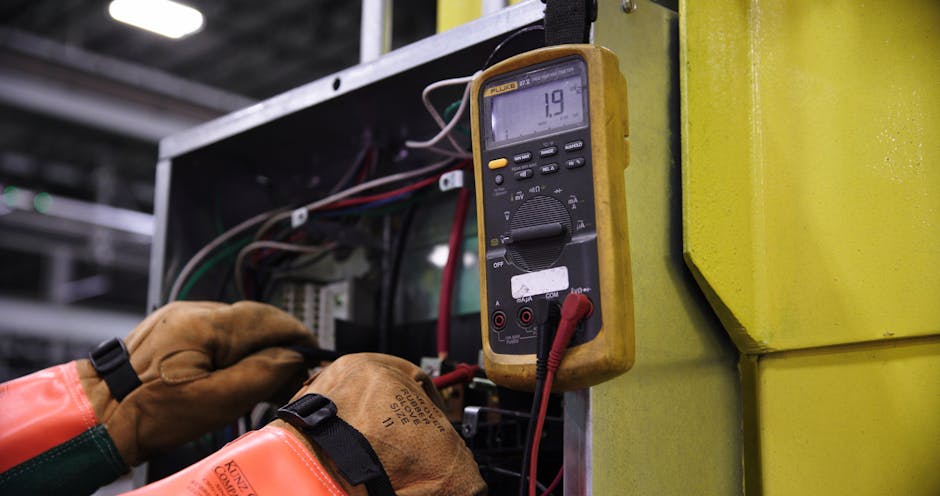
Power Outages in Single Rooms: How to Diagnose and Fix Partial Electrical Failures
DIY & Maintenance
Electrical Humming Sounds: How to Locate and Fix Buzzing Noises in Your Home
DIY & Maintenance